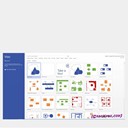
Create any professional diagram easily with ready-made templates and thousands of shapes that help you meet industry standards.
Perform common flowcharting activities with ease, thanks to the familiar Office experience.
| Brand | Microsoft Visio 2016 Professional |
| Product Type | Open License Product |
| Version | 2016 |
| Distribution Media | VLSC Portal Media |
| System Requirements | Computer and processor: 1 gigahertz (GHz) or faster x86-bit or x64-bit processor with SSE2 instruction set; Memory: 2 GB RAM; Hard disk: 3.0 GB available disk space; Display: 1280 x 800 screen resolution; Graphics: Graphics hardware acceleration requires a DirectX 10 graphics card; Operating system: Windows 10, Windows 8.1, Windows 8, Windows 7 Service Pack 1, Windows 10 Server, Windows Server 2012 R2, Windows Server 2012, or Windows Server 2008 R2. For the best experience, use the latest version of any operating system; Browser: The current or immediately previous version of Internet Explorer; the current version of Microsoft Edge, Safari, Chrome, or Firefox. |
| Feature 01 | Use one of the many prebuilt templates from Visio and boost productivity with ready-made shapes |
| Feature 02 | Take advantage of templates that meet industry standards such as Business Process Model and Notation (BPMN) 2.0 and Institute of Electrical and Electronics Engineers (IEEE). |
| Feature 03 | Use visual cues to accurately represent metadata embedded in Visio shapes. As metadata such as dimension changes, the visualization updates automatically. |
| Feature 04 | Add data or smart shapes to imported AutoCAD designs (support up to DWG 2010), and simplify or enhance advanced visualizations with ease. |
| Feature 05 | Get up to speed quickly with Starter Diagrams and contextual tips and tricks that walk you through basic capabilities. |
| Feature 06 | Perform common diagramming activities—like changing shapes, auto aligning and positioning, or duplicating and reordering pages—with an intuitive experience that preserves the metadata and connections of the shapes. |
| Feature 07 | Use the Tell Me search bar to quickly find useful features in Visio. |
| Feature 08 | Customize diagrams using a powerful set of effects and themes, and apply a completely different look to your design in just a few clicks. |
Perform common flowcharting activities with ease, thanks to the familiar Office experience.